

Choosing the best online course platform can make the difference between building a thriving online business and struggling to attract students. With dozens of platforms promising to help you create and sell online courses, it's easy to feel overwhelmed.
Whether you're a creator sharing your expertise, an entrepreneur building a new income stream, a blogger expanding your brand, or a business training customers or employees, the right online course platform should make it easy for you to build professional courses, market them effectively, accept payments, and deliver an excellent learning experience.
To help you choose with confidence, we've researched, tested, and compared the best online course platforms available today. In this article, you'll discover what each online course platform does well, where it falls short, who it's best suited for, and how it compares with the competition.
We compared important factors such as course creation tools, website customisation, marketing and sales features, payment options, student management, integrations, AI capabilities, customer support, and pricing. By the end of this guide, you'll have everything you need to choose the best online course platform for your goals and budget.
Table of Contents
Best Online Course Platforms
The online course platform you choose can have a significant impact on your success as a course creator. While some online course platforms focus on simplicity and affordability, others offer advanced marketing tools, AI-powered course creation, built-in communities, and powerful automation to help you grow your business.
To help you find the right fit, we've compared the best online course platforms based on ease of use, course creation features, student engagement, marketing and sales tools, integrations, pricing, customer support, and overall value.

Podia is one of the best all-in-one online course platforms for creators who want to build, market, and sell digital products without having to manage multiple tools. Instead of paying for separate software to host courses, build a website, collect email subscribers, and process payments, Podia brings everything together in one easy-to-use platform.
Creating a course is straightforward, even for beginners. Its drag-and-drop course builder lets you organise lessons and upload videos, audio files, PDFs, images, quizzes, links, and other downloadable resources in just a few clicks. Podia also includes unlimited video hosting, allowing you to upload your content directly without relying on third-party video services, giving you greater control over your course library.
Beyond online courses, Podia lets you sell digital downloads, webinars, coaching sessions, memberships, and bundled products from a single storefront. You can release your content all at once or schedule drip courses to gradually unlock lessons to help students stay engaged throughout the learning experience. For cohort-based programs, you can enrol students on a shared start date to encourage collaboration and accountability.
One of Podia's biggest strengths is its built-in marketing toolkit. You can create professional landing pages, capture leads with opt-in forms and lead magnets, build automated email campaigns, send newsletters, offer discounts, and create product bundles to increase sales. Because these features are included within the platform, you can spend less time connecting different marketing tools and more time growing your business.
Podia also includes features that enhance the student experience, such as progress tracking, course completion certificates, customer messaging, and community spaces where students can interact with each other and the instructor. Its clean checkout process and flexible payment options help reduce friction during purchases, while integrations with popular third-party tools make it easy to expand your workflow as your business grows.
Key Features of Podia
- Easy Course Builder
Podia comes with an intuitive drag-and-drop course builder that makes creating online courses simple, even if you have no technical experience. You can organise lessons, rearrange content, and publish your course with just a few clicks, allowing you to focus on teaching instead of learning complicated software.
- Support for Rich Course Content
Podia supports a wide variety of content formats, including videos, audio files, PDFs, images, text lessons, downloadable resources, and quizzes. This flexibility allows you to create engaging courses that accommodate different learning styles and keep students interested throughout the learning journey.
- Unlimited Video Hosting
Unlike some online course platforms that require third-party video hosting, Podia lets you upload and host unlimited course videos directly on the platform. This gives you greater control over your content, simplifies course management, and provides students with a seamless viewing experience.
- Built-in Website and Landing Page Builder
Podia includes a website builder that enables you to create a professional online presence without hiring a developer. You can customise your homepage, sales pages, and landing pages to match your brand and showcase your courses, digital products, and memberships from a single website.
- Email Marketing and Automation
One of Podia's biggest strengths is its built-in email marketing tools. You can grow your email list, send newsletters, create automated email sequences, and nurture potential students without paying for a separate email marketing platform.
- Marketing and Sales Tools
Podia includes built-in marketing features such as lead capture forms, discount coupons, affiliate management, product bundles, and optimised checkout pages to help you attract more students, increase conversions, and grow your course business.
- Student Engagement Features
To improve the learning experience, Podia includes features like quizzes, course completion certificates, progress tracking, and community spaces where students can interact with instructors and fellow learners. These tools encourage participation and help students stay motivated until they complete the course.
Podia Pricing
Podia offers a free 30-day trial, giving you full access to its features with no commitment required. Paid plans start at $42 per month and allow you to sell up to 50 products, host 500 videos, and create 25 community spaces, with a 5% transaction fee on sales. If you need more advanced features, such as webinars, affiliate marketing, and additional marketing tools, you can upgrade to the Shaker or Earthquaker plan, which starts at $84 and $150 per month, respectively.
Teachable is one of the most popular online course platforms, trusted by more than 100,000 creators to build, market, and sell online courses. Its clean interface, beginner-friendly course builder, and built-in business tools make it an excellent choice for creators, coaches, and entrepreneurs who want to launch and grow an online education business without technical complexity.
Creating courses with Teachable is straightforward thanks to its drag-and-drop builder, which lets you organise lessons, upload videos, PDFs, quizzes, and downloadable resources with ease. Beyond online courses, you can also sell coaching services, digital downloads, and memberships, giving you multiple ways to generate revenue from your expertise.
Teachable stands out for its flexible payment system, supporting a wide range of payment methods, including Apple Pay and Google Pay, while allowing you to accept payments in more than 130 currencies. It also includes built-in marketing tools, detailed reporting, student management, and automation features to help you grow your audience and increase sales.
Key Features of Teachable
- Drag-and-Drop Course Builder
Teachable's intuitive drag-and-drop builder makes it easy to create professional online courses, coaching programs, sales pages, and checkout pages without any coding experience.
- Built-in Marketing Tools
The platform includes email marketing, affiliate management, referral programs, coupons, and promotional tools that help you attract new students and increase course sales without relying heavily on third-party software.
- Course Compliance
Teachable lets you set course completion rules, lesson prerequisites, and minimum quiz scores before students can progress. These compliance features are especially useful for certification programs and structured learning paths.
- Custom Completion Certificates
You can create branded course completion certificates that recognise students' achievements and encourage higher course completion rates.
- Third-Party Integrations
Teachable integrates with popular tools such as Mailchimp, Google Analytics, Zapier, ConvertKit, and other marketing and automation platforms to expand your workflow as your business grows.
- AI-Powered Course Creation
Teachable includes AI-powered tools that help creators generate course outlines, lesson ideas, and sales page content more quickly, reducing the time it takes to launch a new course.
Teachable Pricing
Teachable offers a 7-day free trial on all Pro plans to let you create courses and test the platform. Paid plans start at $29 per month on an annual plan to create unlimited courses. If you want to eliminate transaction fees and unlock other premium features, the Builder plan starts at $69 per month.
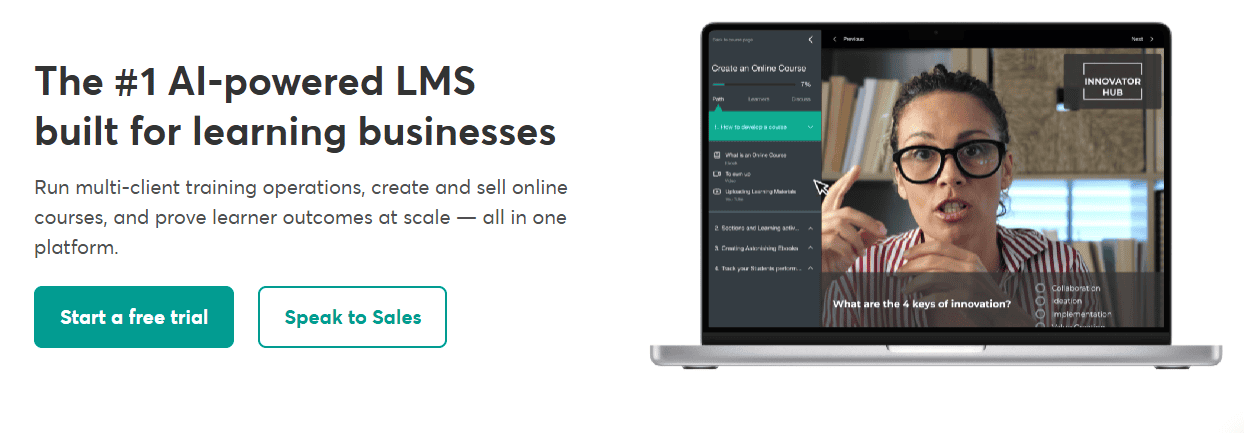
LearnWorlds is one of the best online course platforms for educators, trainers, coaches, and businesses that want to deliver highly interactive learning experiences. Unlike many course platforms that focus primarily on selling courses, LearnWorlds places a strong emphasis on student engagement, making it an excellent choice for professional training, employee onboarding, certification programs, and online education.
Creating courses with LearnWorlds is simple with its drag-and-drop builder, while advanced features allow you to build lessons using videos, PDFs, eBooks, quizzes, assignments, live sessions, and downloadable resources. One of LearnWorlds' biggest advantages is its interactive video technology, which lets you add clickable hotspots, quizzes, buttons, overlays, transcripts, and navigation menus directly inside your videos to encourage active participation.
LearnWorlds also stands out with its support for SCORM and HTML5 content, making it a popular choice for organisations that already use professional e-learning authoring tools. As a creator who wants complete control over your brand, LearnWorlds offers a fully customisable website builder and the ability to launch a white-label mobile app for iOS and Android, so that your students can access courses anytime, anywhere.
In addition to course creation, LearnWorlds provides built-in marketing tools, detailed analytics, certificates, student assessments, automation, and e-commerce features to help you grow your online education business.
Key Features of LearnWorlds
- Interactive Video Builder
LearnWorlds allows you to transform ordinary videos into interactive learning experiences by adding quizzes, clickable hotspots, buttons, overlays, transcripts, and chapter navigation. These features keep students actively engaged instead of passively watching lessons.
- Drag-and-Drop Course Builder
The intuitive course builder makes it easy to create structured learning programs without coding. You can organise lessons, upload multimedia content, and customise your course layout using professionally designed templates.
- SCORM and HTML5 Support
LearnWorlds supports SCORM and HTML5 learning content, making it an excellent option for businesses, educational institutions, and trainers who create courses with professional e-learning authoring tools.
- White-Label Mobile App
Unlike many competitors, LearnWorlds lets you create a fully branded mobile app for iOS and Android. Students can access your courses from anywhere, while push notifications and in-app purchases help improve engagement and revenue.
- Website Builder and Branding
LearnWorlds includes a powerful website builder with customisable templates, widgets, and landing pages, allowing you to create a professional online school that reflects your brand without hiring a developer.
- Interactive Assessments and Certificates
The platform includes quizzes, assignments, exams, surveys, and customisable course completion certificates, making it easier to evaluate student performance and reward successful learners.
- Marketing and Sales Tools
LearnWorlds includes built-in marketing features such as coupons, subscriptions, landing pages, lead capture forms, email integrations, and payment processing to help you attract students and increase course sales.
- Live Learning and Student Engagement
LearnWorlds supports live classes, webinars, discussion features, and student communities, allowing instructors to interact with learners in real time and create a more collaborative learning environment.
LearnWorlds Pricing
LearnWorlds offers a 30-day free trial with no credit card required, allowing you to explore the platform before committing. Paid plans start at $24 per month, plus a $5 transaction fee per sale on the Starter plan. If you want to avoid transaction fees and access more advanced features, you can choose the Pro Trainer plan for $79 per month, which includes unlimited courses and over 50 built-in integrations.

Thinkific is one of the best online course platforms for creators, educators, and businesses that want to build, market, and scale their online courses. It combines a user-friendly course builder with powerful learning tools, website customisation, community features, and e-commerce capabilities, making it suitable for both beginners and experienced course creators.
Creating a course with Thinkific is straightforward thanks to its drag-and-drop builder and professionally designed templates. You can customise every lesson by adding videos, PDFs, quizzes, assignments, downloads, surveys, and other multimedia content to create an engaging learning experience. For instructors who want to teach in real time, Thinkific also supports live lessons and webinars.
One of Thinkific's biggest strengths is its communities feature, which enables you to build a private space where students can ask questions, join discussions, share ideas, and interact with instructors. This helps increase student engagement and creates a more collaborative learning environment beyond the course itself.
Thinkific also includes everything you need to run your course business. You can build a branded website, accept secure payments, create landing pages, monitor student progress, and track sales and performance through built-in analytics. If you need additional functionality, the Thinkific App Store offers dozens of integrations with popular marketing, automation, CRM, and analytics tools.
Key Features of Thinkific
- Drag-and-Drop Course Builder
Thinkific's intuitive drag-and-drop builder allows you to create professional online courses without coding. Ready-made templates help you launch courses faster while giving you full control over your course structure and design.
- Multimedia Course Support
You can enrich your lessons with videos, PDFs, audio files, quizzes, assignments, surveys, downloadable resources, presentations, and other interactive content to create a more engaging learning experience.
- Live Lessons and Webinars
Thinkific supports live teaching, allowing you to host webinars, workshops, coaching sessions, and live classes directly from your course, making it easier to connect with students in real time.
- Student Assessments
Built-in quizzes, assignments, exams, and course completion certificates help you measure student progress, reinforce learning, and reward successful learners.
- Communities
The Communities feature allows you to create private discussion spaces where students can interact, ask questions, and collaborate, helping to build a stronger learning community.
- Website Builder
Thinkific includes a customisable website builder with professionally designed themes, allowing you to create a branded course website and high-converting sales pages without hiring a developer.
- E-commerce Tools
Thinkific also comes with built-in payment processing, secure checkout, one-click upsells, coupons, subscriptions, tax management, and order management tools to help you sell courses more effectively.
- Thinkific App Store
Thinkific's App Store gives you access to dozens of third-party integrations for email marketing, automation, CRM, analytics, and other business tools, so that you can extend your platform as your business grows.
- AI-Powered Course Creation
Thinkific includes AI-powered tools that help speed up course creation by generating outlines and lesson ideas, allowing creators to build and launch courses more efficiently.
Thinkific Pricing
Thinkific offers a 30-day free trial on all of its standard plans with no credit card required to test its features. Paid plans start at $40 per month with unlimited courses, community, selling digital products, eCommerce essentials, abandoned-cart emails, sales and student dashboards and a custom domain.

Kajabi is a premium all-in-one online course platform built for creators, coaches, consultants, and entrepreneurs who want to create, market, and sell digital products from a single dashboard. Rather than relying on multiple tools for your website, email marketing, sales funnels, and course hosting, Kajabi brings everything together, making it easier to run and grow an online business.
Creating online courses with Kajabi is simple thanks to its intuitive drag-and-drop builder and ready-made Product Blueprints. Kajabi provides customisable templates to launch a mini course, a full training program, a membership site, or a coaching offer. Beyond course creation, Kajabi also includes powerful marketing automation, built-in email campaigns, landing pages, and sales funnels to help you attract leads and convert them into paying customers.
Kajabi also stands out for its integrated CRM, detailed analytics, and AI-powered tools that simplify content creation and business management. Combined with its website builder, secure payment processing, and extensive customisation options, Kajabi provides everything you need to build a professional online education business without juggling multiple software subscriptions.
Key Features of Kajabi
- All-in-One Business Platform
Kajabi combines course hosting, website building, email marketing, CRM, sales funnels, payments, and analytics into a single platform, eliminating the need for several third-party tools.
- Drag-and-Drop Course Builder
Its intuitive course builder allows you to create professional online courses using videos, PDFs, audio files, quizzes, downloadable resources, and other multimedia content without writing code.
- Sales Funnel Builder (Pipelines)
Kajabi's Pipeline Builder includes ready-made sales funnel templates for product launches, webinars, lead generation, and promotional campaigns. These automated funnels help turn visitors into paying customers with minimal setup.
- Built-in Email Marketing and Automation
Kajabi includes powerful email marketing tools that let you send newsletters, create automated email sequences, segment your audience, and nurture leads without purchasing separate email marketing software.
- Customer Relationship Management (CRM)
The built-in CRM helps you manage contacts, monitor customer activity, organise leads, and personalise communication, making it easier to build lasting relationships with your students.
- AI Creator Tools
Kajabi includes AI-powered tools that help generate course outlines, lesson ideas, email campaigns, landing page copy, and marketing content, allowing you to launch products more efficiently.
Kajabi Pricing
Kajabi does not offer a free plan, but you can explore the platform with a 14-day free trial. Paid plans start at $143 per month (billed annually) and include unlimited landing pages, marketing emails, and core business tools. The Growth plan, starting at $199 per month, adds advanced automation and affiliate marketing, while the Pro plan, starting at $399 per month, unlocks additional products, admin users, and enterprise-level features for larger businesses.
Mighty Networks is one of the best online course platforms for creators who want to build a thriving community alongside their courses. Unlike traditional course platforms that treat community as an add-on, Mighty Networks places it at the centre of the learning experience, making it ideal for coaches, educators, membership businesses, and brands that want to foster meaningful engagement.
Creating courses is simple with its built-in course builder, which lets you organise lessons, upload multimedia content, and deliver structured learning programs inside a private members-only space. Students can participate in discussions, join groups, attend live events, send direct messages, and interact with other members to create a collaborative learning environment that keeps them engaged long after completing a course.
One of Mighty Networks' biggest strengths is its AI-powered personalisation, which recommends relevant content, communities, and discussions based on each member's interests and activity. When combined with branded mobile apps, live streaming, events, and powerful community management tools, Mighty Networks helps you build highly engaged communities rather than simply host online courses.
Key Features of Mighty Networks
- Native Course Builder
Mighty Networks includes a built-in course builder that allows you to create structured learning programs using videos, text, downloadable resources, and other multimedia content, all within your private community.
- Community Building
Community is the platform's greatest strength. You can create private or paid communities where members participate in discussions, join interest groups, send direct messages, attend live events, and interact with both instructors and fellow students.
- AI-Powered Personalisation
Mighty Networks uses AI to recommend relevant content, discussions, events, and communities to each member based on their interests and activity, creating a more personalised learning experience.
- Live Events and Live Streaming
You can host live classes, webinars, workshops, Q&A sessions, and virtual events directly within your community, helping you engage members in real time without relying on external software.
- Branded Mobile Apps
Members can access your courses and community through dedicated mobile apps for iOS and Android. On higher-tier plans, you can even launch a fully branded white-label mobile app for a more professional experience.
- Ambassador Program
Mighty Networks also has an Ambassador Program that lets members refer new users in exchange for rewards, making it easier to grow your community through word-of-mouth marketing.
Mighty Networks Pricing
Mighty Networks offers a 14-day free trial on all paid plans. Pricing starts at $79 per month (billed annually) for the Launch Plan, which includes the core tools for building and managing a community. The Scale Plan starts at $179 per month with advanced course creation features, while the Mighty Pro Plan allows you to customise your price based on the number of users.
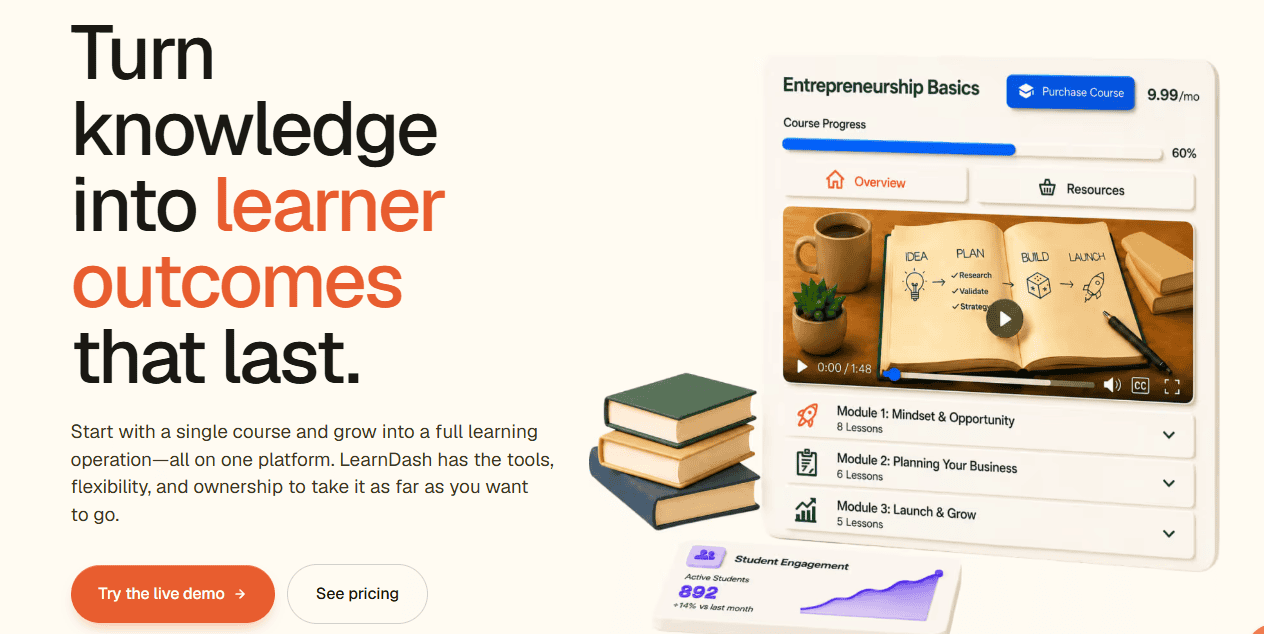
LearnDash is one of the leading WordPress learning management systems (LMS) for creating and selling online courses. Unlike fully hosted platforms, LearnDash gives you complete ownership and control over your website, course content, and student data. It's an excellent choice for educators, businesses, membership websites, and entrepreneurs who already use WordPress or want maximum flexibility.
LearnDash is available as a powerful WordPress plugin and as LearnDash Cloud, a fully hosted solution for creators who prefer not to manage their own web hosting. The platform includes everything you need to build professional online courses, including drip content, quizzes, certificates, assignments, discussion forums, memberships, and detailed reporting. Its extensive integration with WordPress plugins and e-commerce tools makes it one of the most customisable online course platforms available. LearnDash is an outstanding online course platform that can scale from a single course to a large online academy.
Key Features of LearnDash
- WordPress Integration
LearnDash integrates seamlessly with WordPress, allowing you to build and manage your courses directly from your website. You can choose the self-hosted plugin for maximum flexibility or LearnDash Cloud for a simpler, fully managed experience.
- Advanced Course Builder
The drag-and-drop course builder makes it easy to organise lessons, topics, quizzes, assignments, and drip schedules. You can create structured learning paths that keep students engaged throughout the course.
- Powerful Assessments
LearnDash includes one of the most advanced assessment systems among online course platforms. It supports multiple question types, timed quizzes, assignments, grading, certificates, badges, and course prerequisites to help measure student progress effectively.
- Flexible Content Dripping
You can release lessons gradually based on enrollment dates, course progress, or specific schedules. This helps prevent information overload and encourages students to complete your course step by step.
- Certificates and Badges
Reward students with customizable certificates and achievement badges when they complete lessons, pass quizzes, or finish entire courses. These incentives help increase engagement and course completion rates.
- Membership and Access Control
LearnDash allows you to restrict course access based on memberships, subscriptions, user roles, or purchase history. This makes it ideal for creating premium learning communities and subscription-based businesses.
- Third-Party Integrations
LearnDash integrates with hundreds of WordPress plugins and popular tools for email marketing, CRM, automation, video hosting, and e-commerce, allowing you to expand your platform as your business grows.
LearnDash Pricing
LearnDash offers several annual pricing plans based on the number of websites you want to use. The Single Site license starts at $259 per year, making it ideal for individual creators and small businesses. Higher-tier plans support multiple websites and include the same core LMS features. While LearnDash doesn't offer a free plan, it provides a 15-day money-back guarantee, allowing you to try the platform with minimal risk.

Thrive Apprentice is another comprehensive and feature-rich WordPress learning management plugin built for creators, coaches, bloggers, and businesses that want to create and sell online courses directly from their WordPress websites. Unlike standalone course platforms, Thrive Apprentice gives you complete ownership of your content while integrating seamlessly with the other tools in the Thrive Suite, making it an excellent choice for growing conversions and online sales.
Creating courses is simple with Thrive Apprentice's intuitive drag-and-drop builder, allowing you to organise lessons, modules, and chapters easily. You can enrich your courses with videos, audio, PDFs, downloadable resources, quizzes, and other multimedia content while maintaining complete control over your website's design and branding.
One of Thrive Apprentice's biggest strengths is its integration with Thrive Architect, Thrive Leads, Thrive Quiz Builder, Thrive Optimise, and other Thrive products. Together, these tools allow you to build high-converting sales pages, grow your email list, personalise the student experience, and optimise your marketing campaigns from a single ecosystem.
Key Features of Thrive Apprentice
- Drag-and-Drop Course Builder
Thrive Apprentice features an intuitive drag-and-drop builder that lets you organise lessons, modules, and chapters with ease. Its simple interface makes it easy to build well-structured online courses, even if you're new to WordPress.
- Multimedia Course Support
You can create engaging lessons using videos, audio files, text, PDFs, downloadable resources, images, and embedded content, allowing you to deliver a richer learning experience for your students.
- Flexible Drip Content
Thrive Apprentice offers advanced drip scheduling that allows you to release lessons over time, on specific dates, or based on student progress and quiz results. This helps improve course completion rates and keeps learners engaged.
- Progress Tracking
Built-in progress indicators help students monitor their learning journey by showing completed lessons and overall course progress, encouraging them to finish the course.
Thrive Apprentice Pricing
Thrive Apprentice is available as a standalone plugin starting at $149 per year, while the Thrive Suite starts at $299 per year and includes access to all Thrive plugins and themes. Both options come with a 30-day money-back guarantee, allowing you to try the platform risk-free.
LearnPress is one of the best free WordPress learning management system (LMS) plugins for creating and selling online courses. LearnPress, as an online course platform, gives you complete control over your course website while offering the flexibility to expand its functionality through premium add-ons. If you're looking for a budget-friendly way to launch an online course business, LearnPress is an excellent place to start.
The LearnPress plugin features an intuitive drag-and-drop course builder that makes it easy to organise lessons, quizzes, assignments, and learning paths without writing code. You can enrich your courses with videos, images, PDFs, downloadable resources, and other multimedia content to create an engaging learning experience. Since LearnPress is built for WordPress, it integrates seamlessly with popular themes, page builders, and plugins, allowing you to customise your online school to suit your brand.
LearnPress also includes essential tools for managing students, tracking course progress, issuing certificates, and selling courses through popular e-commerce solutions. As your business grows, you can extend the platform with premium add-ons that unlock advanced features such as assignments, content dripping, co-instructors, additional payment gateways, and more.
Key Features of LearnPress
- Drag-and-Drop Course Builder
LearnPress includes an easy-to-use course builder that allows you to create lessons, quizzes, assignments, and course structures without coding. Its intuitive interface makes course creation simple for beginners.
- Student Management
The platform provides a centralised dashboard where you can manage enrollments, monitor student progress, track course completion, and efficiently organise learners.
- WooCommerce Integration
LearnPress integrates seamlessly with WooCommerce, allowing you to sell online courses using secure payment gateways, discount coupons, subscriptions, and other e-commerce features.
- Content Dripping
You can schedule lessons to be released gradually based on specific dates or student progress. This helps improve engagement, encourages course completion, and prevents learners from feeling overwhelmed.
- Certificates
Reward students with customizable certificates upon successful course completion, increasing motivation and adding value to your training programs.
LearnPress Pricing
LearnPress is free to download and use, making it one of the most affordable online course platforms for WordPress users. While the core plugin includes the essential tools needed to create and sell online courses, you can unlock additional functionality by purchasing premium add-ons or bundled extension packages. This flexible pricing model allows you to pay only for the features your online school requires.
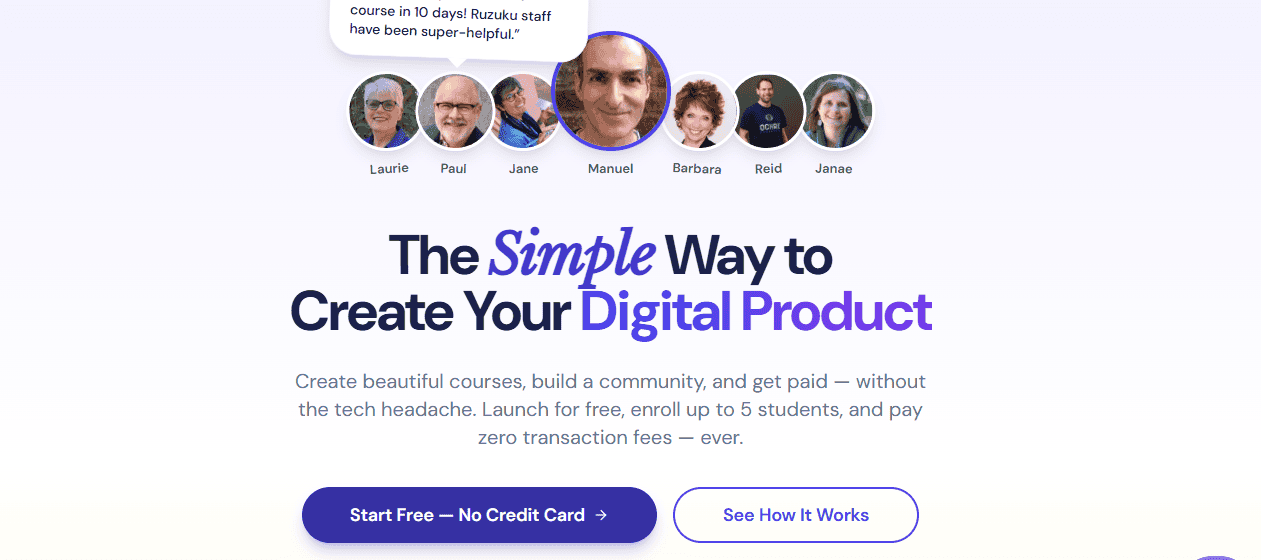
Ruzuku is one of the simplest and most user-friendly online course platforms designed for creators who want to launch courses quickly without dealing with technical complexity. Its clean interface and straightforward setup make it an excellent choice for coaches, consultants, educators, and small businesses looking to create and sell online courses with minimal effort.
With Ruzuku, you can create live courses, self-paced programs, and drip courses from a single platform. It supports a variety of content formats, including videos, PDFs, presentations, audio files, and downloadable resources, allowing you to build engaging learning experiences. Students can also upload assignments in multiple formats, making it easier to collect feedback and encourage active participation.
Beyond course creation, Ruzuku includes built-in email notifications, progress tracking, student management, and payment processing through Stripe and PayPal. One of its biggest strengths is its excellent customer support, with assistance available through email, phone, and live training resources. The platform even provides technical support for students, helping instructors spend less time troubleshooting and more time teaching.
Key Features of Ruzuku
- Easy Course Builder
Ruzuku makes it easy to create and publish online courses without any coding or technical skills. Its intuitive interface allows you to organise lessons and launch your course in just a few steps.
- Live and Self-Paced Courses
The platform supports live classes, scheduled learning programs, self-paced courses, and drip content, giving you the flexibility to deliver your training in the format that best suits your audience.
- Multimedia Course Support
You can enhance your lessons by uploading videos, PDFs, PowerPoint presentations, audio files, Word documents, and other downloadable resources to create engaging learning experiences.
- Student Assignment Submissions
Ruzuku allows students to submit assignments in multiple formats, including documents, images, videos, and PDFs, making it easy to review their work and provide feedback.
- Course Progress Tracking
Built-in progress tracking and Course Health reports help you monitor student activity, lesson completion, participation, and engagement so you can identify learners who may need additional support.
- Built-in Email Notifications
The platform automatically sends email reminders, course updates, and event notifications, helping students stay informed and engaged throughout the course.
Ruzuku Pricing
Ruzuku offers a free plan that supports up to 5 students, unlimited courses, live meetings and video conferences, making it a good option for testing the platform. Paid plans start at $99 per month and allow you to create unlimited courses with unlimited students, along with access to additional features and support.
How to Choose the Best Online Course Platform
The best online course platform isn't always the one with the most features; it's the one that fits your teaching style, business goals, and budget. Before making your choice, compare each platform carefully and focus on the features that will help you create, market, and sell your courses successfully.
- Ease of Use
A good online course platform should make course creation simple, even if you have little or no technical experience. Choose an online course platform with an intuitive dashboard, drag-and-drop builders, and a smooth setup process so you can spend more time teaching instead of figuring out complicated software.
- AI Features and Automation
Many modern online course platforms now include AI tools that can help generate course outlines, lesson content, quizzes, email campaigns, subtitles, and translations. Automation features can also simplify student onboarding and follow-up emails, saving you valuable time.
- Course Content and Media Support
A good online course platform should support all the content formats you plan to include in your lessons. This may include videos, audio files, PDFs, presentations, downloadable resources, quizzes, images, and live sessions.
- Student Engagement Features
Keeping students motivated is just as important as creating quality content. Choose an online course platform that includes quizzes, assignments, certificates, progress tracking, course completion badges, and other interactive tools that encourage learners to finish your courses.
- Community and Student Interaction
Learning becomes more enjoyable when students can ask questions and interact with instructors and fellow learners. Features such as discussion forums, private communities, comments, live webinars, group coaching, and direct messaging can help build a stronger learning experience.
- Course Delivery Options
Consider how you want your students to access your content. Some online course platforms allow you to release every lesson immediately, while others support drip scheduling, where lessons become available over time. This flexibility can improve student retention and reduce refund requests.
- Marketing and Sales Tools
Creating a great course is only half the job; you also need students. Look for built-in marketing tools such as email marketing, sales funnels, affiliate management, coupon codes, upsells, order bumps, abandoned cart recovery, and SEO-friendly landing pages. Marketing and sales features can help you attract more students and increase course sales without relying heavily on third-party software.
- Website and Page Customisation
Your course website should reflect your brand. Choose an online course platform that allows you to customise landing pages, checkout pages, sales pages, and course layouts without requiring advanced coding skills.
- Payment Options
A flexible payment system gives students more ways to purchase your courses. Look for platforms that support multiple payment gateways, one-time payments, subscriptions, payment plans, free trials, coupons, multiple currencies, and automatic tax handling if you sell internationally.
- Integrations
Your online course platform should connect easily with the tools you already use. Popular integrations include email marketing services, CRM software, webinar platforms, analytics tools, automation apps like Zapier, and content management systems such as WordPress.
- Analytics and Reporting
Data helps you understand what's working and what needs improvement. Choose a platform that provides detailed reports on student enrollment, course completion rates, revenue, engagement, and marketing performance so you can make informed decisions.
- Pricing and Scalability
Price matters, but it shouldn't be your only deciding factor. Compare monthly fees, transaction charges, feature limits, and upgrade costs. Also consider whether the platform can grow with your business as your student base and course library expand.
Final Thoughts
The best online course platform isn’t necessarily the one with the most features; it’s the one that fits your goals, budget, and teaching style. Some platforms excel at building communities, others focus on interactive learning, while some give you complete control through WordPress. Before making your decision, think about the type of courses you plan to create, how you want to deliver them, and the marketing tools you’ll need as your business grows.
If you’re still deciding, here are our recommendations based on different needs:
- Podia
Podia is an excellent all-in-one online course platform for beginners and creators who want to sell online courses, memberships, coaching, webinars, and digital downloads from a single dashboard. Its built-in email marketing and simple interface make it one of the easiest platforms to use.
- Teachable
Teachable is a solid online course platform if you want a straightforward platform with flexible payment options, coaching features, and an easy-to-use course builder.
- Thinkific
Thinkific is a great online course platform for educators and growing businesses looking for a balance between ease of use and advanced learning features. It offers a generous free plan, strong assessment tools, live lessons, and an active student community.
- LearnWorlds
LearnWorlds is an ideal online course platform for professional trainers, educational institutions, and businesses that need interactive videos, SCORM support, white-label branding, and advanced learning analytics.
- Kajabi
Kajabi is best suited for entrepreneurs who want an all-in-one business online course platform that combines course hosting, email marketing, sales funnels, CRM, and automation. While it’s one of the more expensive options, it can replace several separate tools.
- Thrive Apprentice
Thrive Apprentice is one of the best online course platforms for WordPress users who want complete ownership of their website and maximum customisation. Its powerful quizzes, certificates, and WooCommerce integration make it suitable for everything from small course websites to large online academies.
Whichever online course platform you choose, remember that software alone won’t guarantee success. High-quality content, a clear course structure, effective marketing, and ongoing support for your students will have a much greater impact on the long-term success of your online course business than the platform itself.
Frequently Asked Questions (FAQs)
What is the best online course platform for beginners?
The best online course platform for beginners depends on your goals and budget. If you want a simple, all-in-one solution, Podia and Thinkific are excellent choices because they're easy to use and require little technical knowledge. If you already have a WordPress website, LearnDash, Thrive Apprentice, or LearnPress offer greater flexibility and complete ownership of your content.
Can I create and sell online courses for free?
Yes. Several online course platforms let you create and sell online courses for free, although free plans usually come with limitations. For example, Thinkific and LearnPress offer free options, while platforms like Podia and Teachable also provide free plans with transaction fees or feature restrictions. As your business grows, upgrading to a paid plan unlocks more advanced marketing, customisation, and automation features.
What features should I look for in an online course platform?
The most important features include an easy-to-use course builder, support for videos and other multimedia content, quizzes and certificates, drip content, secure payment processing, email marketing tools, student progress tracking, integrations with third-party apps, and reliable customer support. If you plan to scale your business, it's also worth considering platforms that offer memberships, communities, affiliate management, and marketing automation.
Which online course platform is best for WordPress users?
If your website runs on WordPress, LearnDash is one of the best online course plugins because of its advanced learning features and extensive customisation options. Thrive Apprentice is another excellent choice for creators who want to combine course creation with powerful marketing tools, while LearnPress is ideal for beginners to build an online course platform for free.






0 Comments